 ParaCrux
From the lab · One drawing file as the design input
One drawing.
Two models. Two drawings.
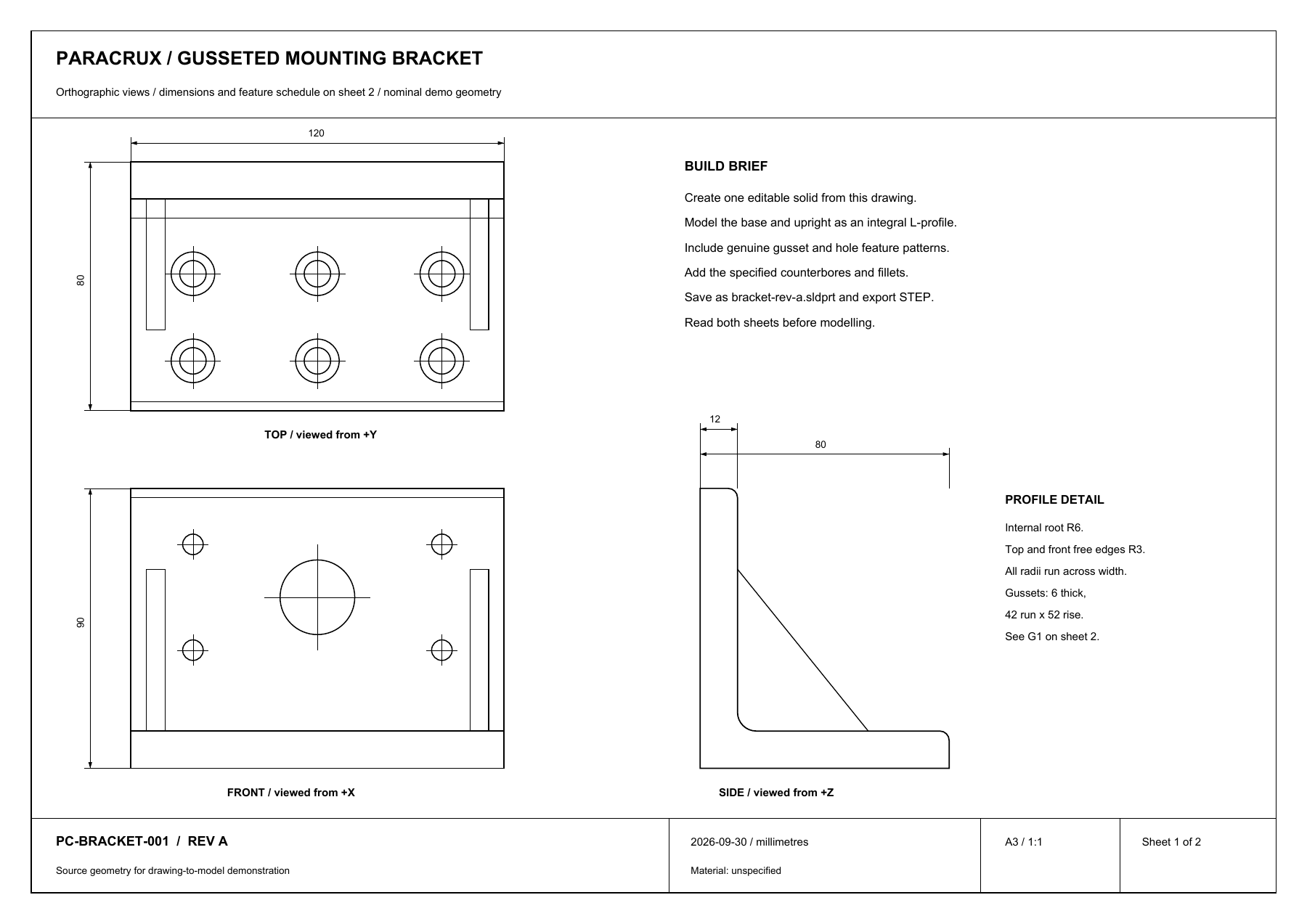
This started with a single engineering drawing. That was the only design file supplied to the agent. From it, the agent built the bracket in SOLIDWORKS, preserved the original, then made a revised copy and a drawing for each version.
Recorded lab workflow. The revision changes were requested after the original build. Building models and drawings this way is not yet a shipping Agent feature.
This was the starting point.
The drawing supplies the geometry: the shape, dimensions, hole locations and details. The model and feature tree shown in the recording are outputs of the build.
From input to deliverables.
One source drawing becomes an editable model. A separate revision request branches from that model, so both versions remain available.
One drawing file
Shape · Dimensions · Hole details
Editable SOLIDWORKS model
Extrusions → Fillets → Gussets → Hole Wizard → Patterns
Revision A
120 mm wide · Ø24 bore
Model A + drawing A + PDFRevision B
140 mm wide · Ø32 bore
Model B + drawing B + PDFWatch the complete workflow.
Tom explains the build, revision and both drawings in one minute and forty-two seconds. Jump to any chapter; English captions are optional.
What the agent actually did.
The result includes named CAD features, native model files and drawings for both revisions.
- 01
Build the form
Create the main extrusion, internal fillet and rounded free edges. Add a supporting gusset and pattern the second.
- 02
Make editable holes
Use native Hole Wizard features for the counterbores, upright mounting holes and central bore. Feature patterns place the repeated holes.
- 03
Preserve and revise
Save revision A, then make a separate copy. Change the width from 120 to 140 mm and the central bore from 24 to 32 mm; update the revision properties.
- 04
Draw both versions
Generate a native drawing and PDF for each model. Space the views, position model-linked dimensions and populate the title block from custom properties.
Two changes. One retained original.
The recorded checks reopened the native models and STEP exports. The original file's hash remained unchanged.
| Property | Revision A | Revision B |
|---|---|---|
| Bracket width | 120 mm | 140 mm |
| Central bore | Ø24 mm | Ø32 mm |
| Drawing deliverables | Native drawing + PDF | Native drawing + PDF |
| Model deliverables | Native model + STEP | Native model + STEP |
The check recorded 23 dimensions: two changed and 21 retained. Each drawing reopened with four views and references to its corresponding model. The deliverables remain subject to engineering review.
What this demonstrates.
A single drawing can be the starting design reference for a build, a separate revision and two drawing sets. This recording shows the agent driving SOLIDWORKS through its API in our lab. The footage is edited and retimed; it is not a real-time completion claim.
See what the Agent ships today →Back to all demos →