 ParaCrux
Parts built feature by feature
In our lab, an AI agent models parts the way an engineer would, then changes them through their own dimensions and variables.
This is what we are building, not something you can buy. Lab work appears in demos and case studies, and is not in any version for sale.
What we are building
- Fully defined sketches and named features, with equations tying dependent features to the dimension that drives them. On the CR-110 connecting rod, the centre distance drives the small end.
- Real SOLIDWORKS features: fillets, I-beam pockets, Hole Wizard counterbores, an oil hole and a split cap.
- Assemblies mated from the parts' own design intent. The V8 rotating assembly reuses the CR-110 rod and turns on one mate, with every piston where the maths puts it at 11 crank angles.
- A design copied to a new size by changing its variables: the V8 went from 3.5 L to 5.0 L by changing stroke, bore and the rod's centre distance, measured back from the model.
- A design from a written brief, sized by hand calculation, checked, then changed: ScoutCrux 500, a folding drone of 112 components, became a 650 through its parameters.
See it
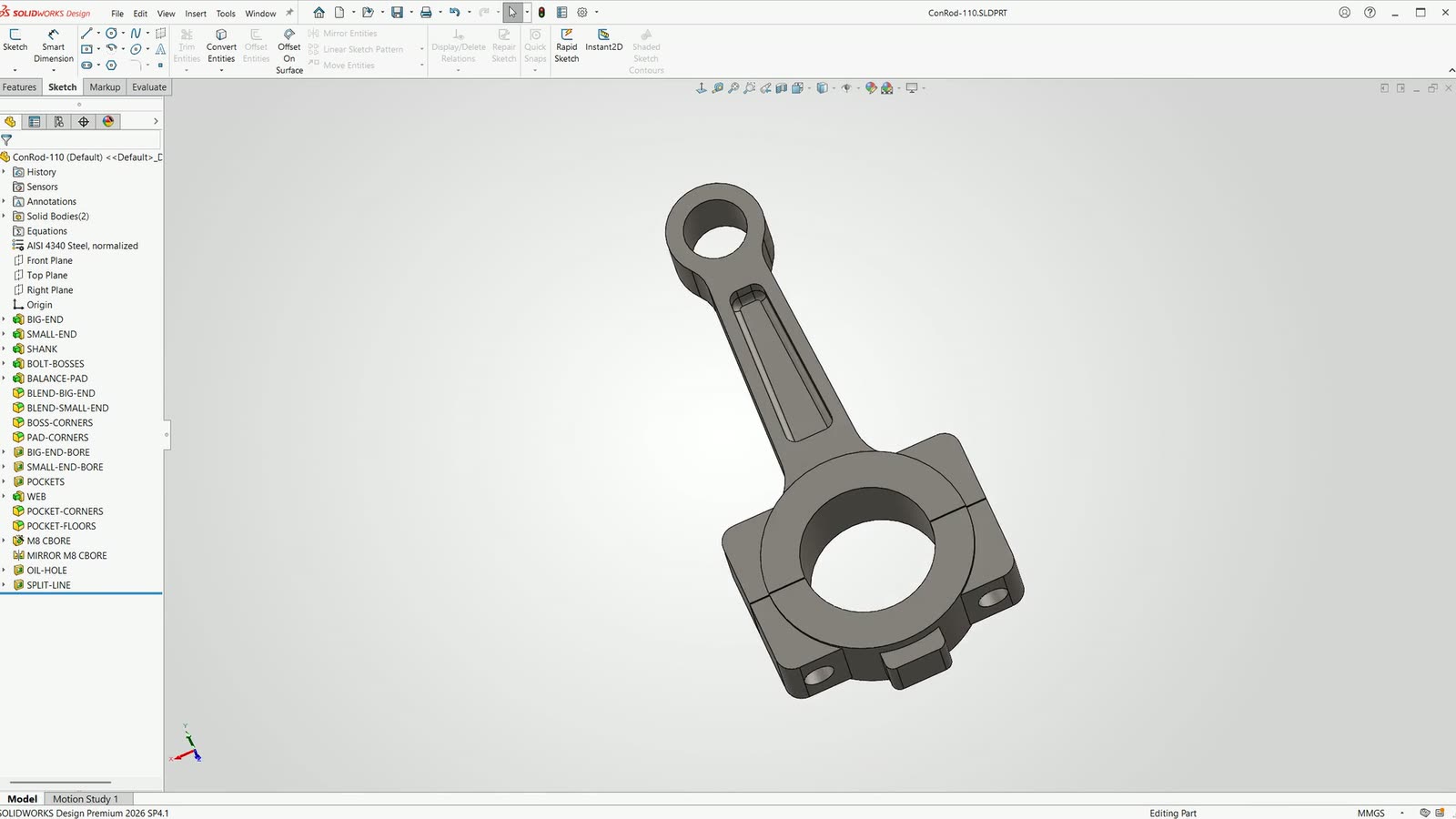 3:17LAB RECORDING · 29 SEP 2026Connecting rod: modelled, drawn, then changedNarrated by Tom, with optional English captions. Real SOLIDWORKS screen recording; stretches where SOLIDWORKS was computing with nothing changing on screen are cut. The agent drove SOLIDWORKS through its API in our lab, which is not how the shipping Agent works today.Watch it
 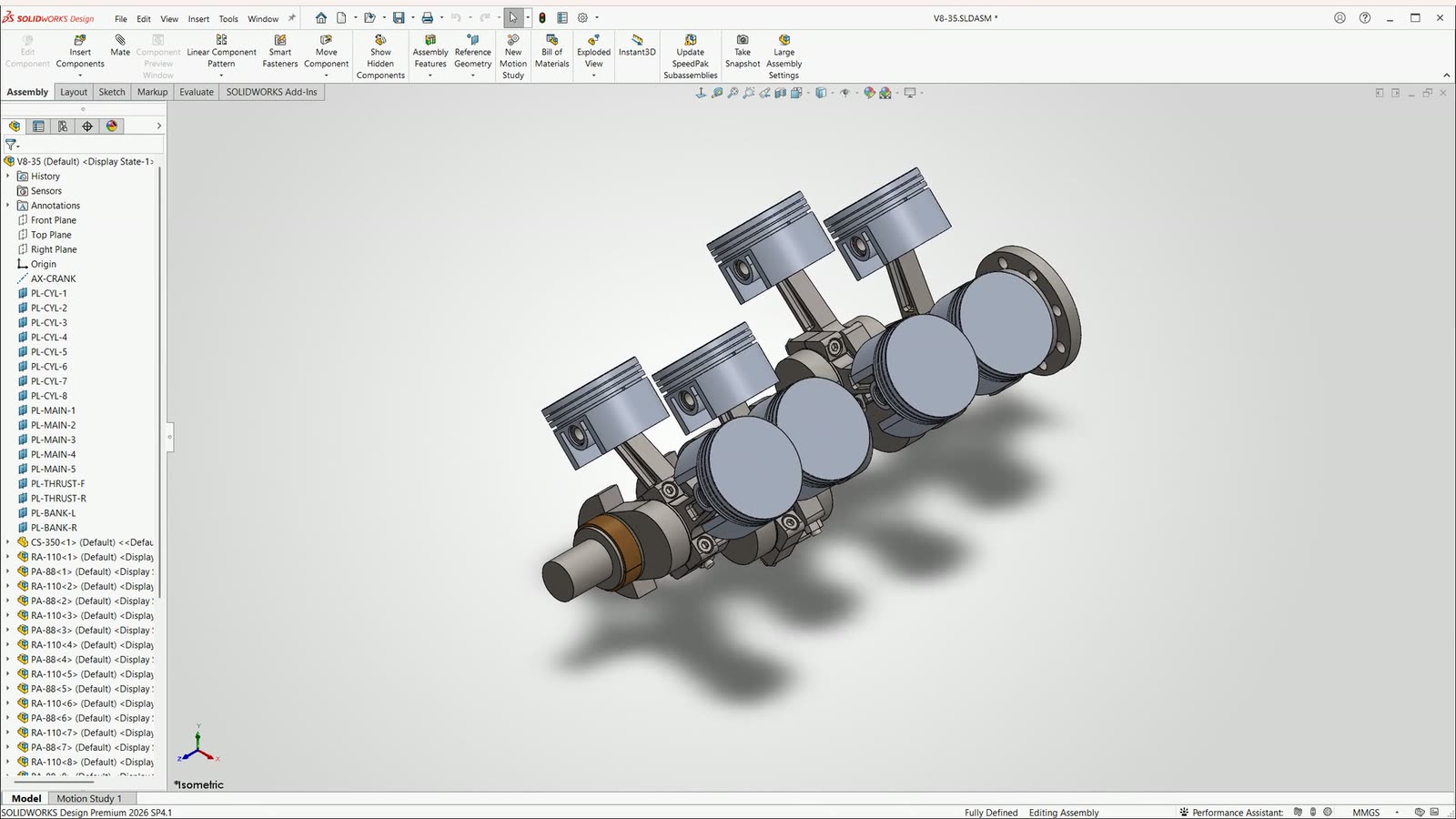 3:60LAB RECORDING · 30 SEP 2026V8 rotating assembly: built, turned, drawn, then copied to 5.0 LNarrated by Tom, with optional English captions. Real SOLIDWORKS footage from our lab: stretches where SOLIDWORKS was computing are cut, some scenes are sped up, and the two four-stroke cycles were captured frame by frame and played at 30 fps. Scenes come from more than one recording session. The agent drove SOLIDWORKS through its API in our lab, which is not how the shipping Agent works today.Watch it
 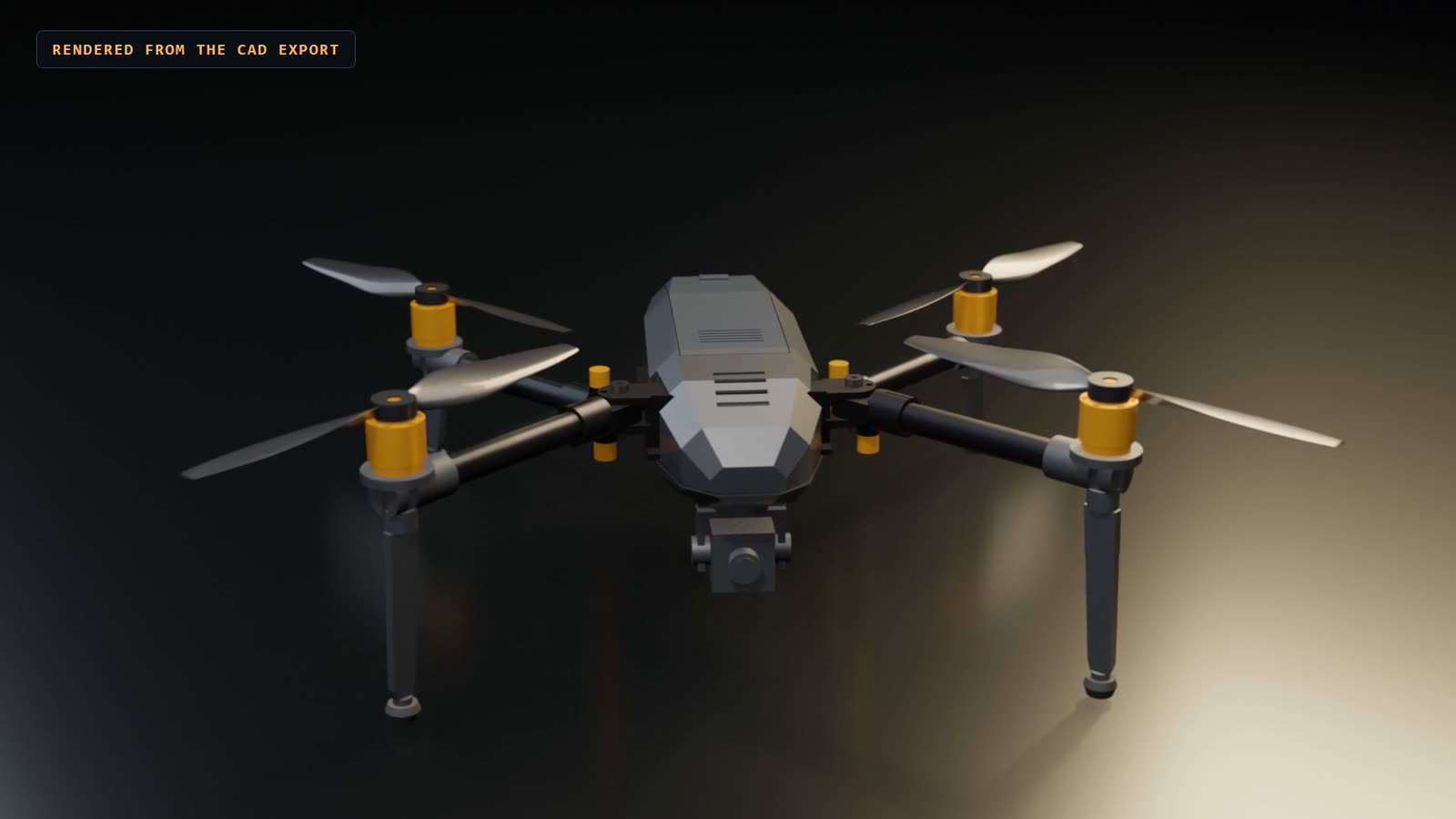 4:39LAB DEMO · 1 OCT 2026ScoutCrux 500: a folding drone, designed, checked, then changed to 650Narrated by Tom, with optional English captions of the speech. The SOLIDWORKS footage was captured frame by frame: after every feature, component and animation step SOLIDWORKS rendered its own view, composited into its real window, because the workstation display was asleep. Renders come from the CAD exports. Every number on the cards is read from the CAD and the calculation record. The agent drove SOLIDWORKS through its API in our lab; the drone has not been built or flown.Watch it
 What it is not, yet
- It is not in the Agent you can buy. Today the Agent creates only simple box parts from dimensions you state.
- In every recording an AI agent drives SOLIDWORKS through its API in our lab, which is not how the shipping Agent works.
- The recordings are edited: stretches where SOLIDWORKS was computing are cut, and some scenes are sped up or captured frame by frame. Each recording's note says how.
- Lab results are not engineering sign-off. ScoutCrux has not been built or flown, and one of its requirements fails: folded, the 650 is too long for the original case.
What you can do today
The nearest thing in the Agent you can buy, as a lesson with a simulator.
- AvailableCreate a simple part from a brief
Describe a block with all three sizes and get a checked native part and STEP file. Leave a size out and it asks.
- AvailableChange a dimension on a copy
Propose a new value, run it on a copy, check the result independently, then accept or reject. Your original is never touched.
Covers: Feature-by-feature parts. See the full index